
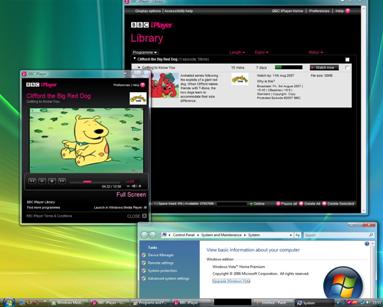
To run the BBC iPlayer on Vista you will need to download 2 things:
* The BBC iPlayer Library (KHost.exe)
(Also make sure you have signed up for the service first, or this won’t work 😀 )
1. Install the BBC iPlayer Software.
2. Install the user agent string utility (UASU).
3. Launch the UASU.
4. Press change settings.
Go to the start menu and right click on BBC iPlayer Library shortcut
Click Properties, go to compatablility and tick the Compatablity Mode for XP SP2. Press OK
5. Start the iPlayer Library.
6. Log into the iPlayer service in your IE7 Window (Emulating IE6), and accept any Active X warnings.
7. Choose a programme (make sure you are logged into the actual service).
8. When its done downloading all the idents, it will download your Programme you selected to watch.
I have tried this method and it works on both my computers, but the video will only play on one of them.
-Joe